Give every layer its place.
Multiple designs, folders, precise positioning, rotation, and blend modes. Keep your pages organized by project.
 Pixel FixerDESIGN REVIEW
Add to Chrome
A visual review tool for Chrome
DESIGN ↔ DEVELOPMENTYou see the difference.
Now put your finger on it.
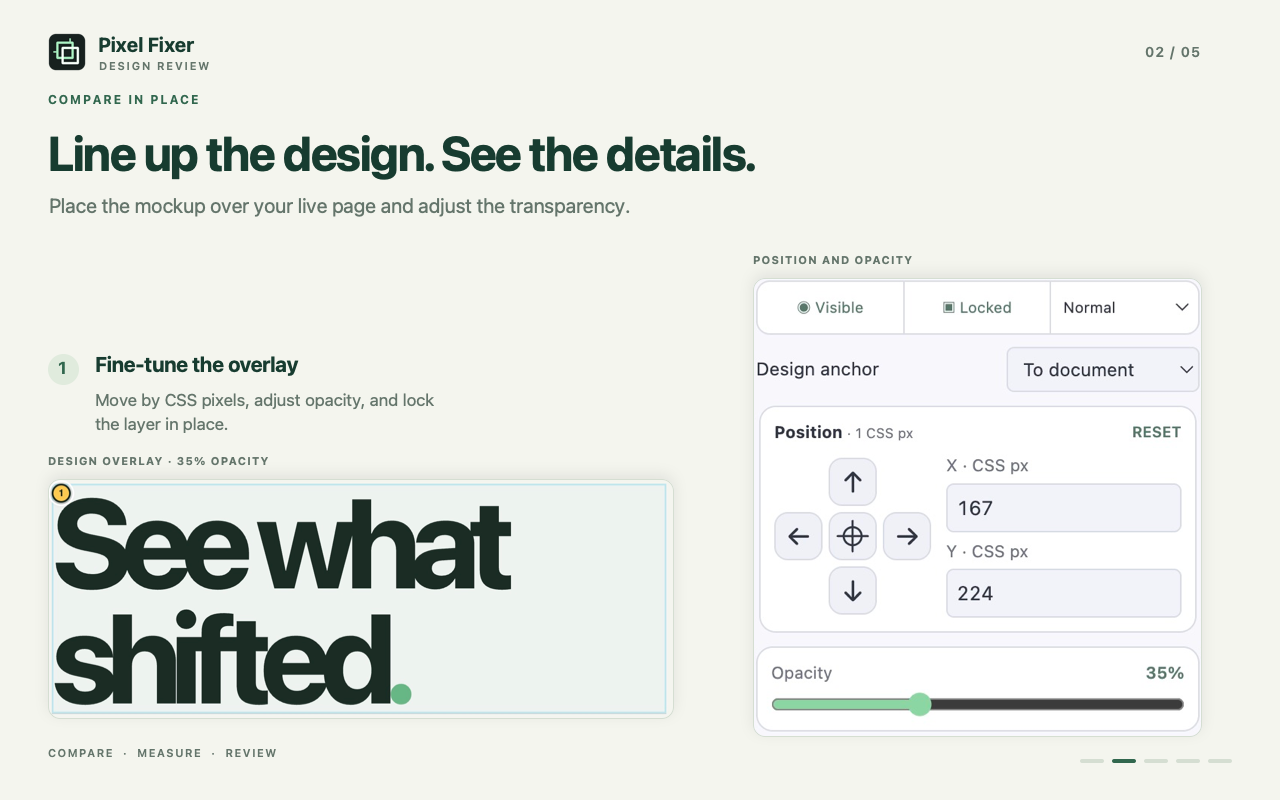
Lay your design over the live page. Measure what moved. Leave feedback that gets straight to the point.
Add to Chrome — freeFree to use · Desktop Chrome · No account
AN INTERACTIVE EXAMPLE — TRY THE CONTROLS
Small differences.
A much clearer conversation.
YOUR PAGE. YOUR DESIGN. THE SAME VIEW.
Keep the reference, the measurements, and the feedback in the same place.
THE REST OF YOUR REVIEW
Multiple designs, folders, precise positioning, rotation, and blend modes. Keep your pages organized by project.
Save notes on elements or regions. Export selected comments and attachments as Markdown, JSON, or a ZIP task.
Check image, font, and CSS loading. Start a separate resource-failure simulation when you need to see what breaks.
Run basic checks locally, or explicitly send a review to AI. Preview the capture and mask private areas before sending.
A FEW PRACTICAL DETAILS
No. Inspect elements and save review notes on their own. Add a PNG, JPEG, WebP, or SVG when you want to compare the page with a design.
Projects, designs, notes, and saved screenshots stay in this Chrome installation. Optional AI review sends selected context only after you explicitly start it. See our privacy policy for details.
Yes. Install Pixel Fixer from the Chrome Web Store and use the review tools without an account. AI review has a limit of 15 accepted attempts per installation in a rolling 24-hour period.
No. Pixel Fixer works on the page in your browser. Optional AI CSS adjustments affect the current page and can be undone; they do not edit your project files.
READY FOR A CLOSER LOOK?
DESIGN ↔ DEVELOPMENTOne extension. A clearer final pass.